Social Sharing Guide: Make Your Posts Look Amazing Everywhere
Social Sharing Guide
When you share a blog post on social media, platforms like Facebook, X (Twitter), LinkedIn, and others display a preview card with an image, title, and description. This guide explains how it all works and how to make your posts look great everywhere.
"A good name is more desirable than great riches; to be esteemed is better than silver or gold." — Proverbs 22:1 (NIV)
How Social Sharing Works
When someone shares a link from our site, social media platforms read special HTML tags called meta tags to build the preview card. We use two main standards:
| Standard | Used By | Purpose |
|---|---|---|
| OpenGraph | Facebook, LinkedIn, Discord, iMessage, Slack | The universal standard for rich link previews |
| Twitter Cards | X (Twitter) | Twitter's specific format for link previews |
What Gets Shared
When someone shares your blog post, here's what appears:
The Preview Card Contains:
- Image - Your post's cover image (or site default)
- Title - Your post's title
- Description - Your post's excerpt
- URL - The link to your post
Example Preview
┌─────────────────────────────────────────────┐
│ ┌─────────────────────────────────────────┐ │
│ │ │ │
│ │ [Your Cover Image] │ │
│ │ 1200 x 630 pixels │ │
│ │ │ │
│ └─────────────────────────────────────────┘ │
│ │
│ lokisoft.xyz │
│ │
│ Your Post Title Here │
│ │
│ Your excerpt appears here as the │
│ description. Keep it compelling! │
└─────────────────────────────────────────────┘
How to Control What Gets Shared
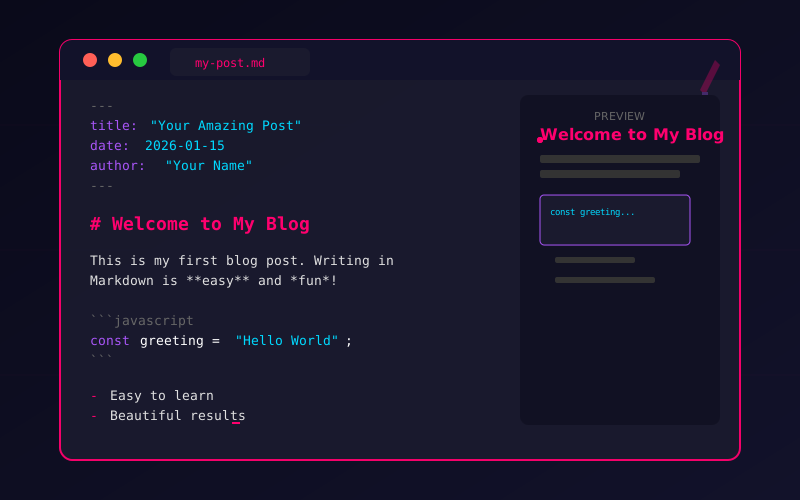
You control social sharing through your post's frontmatter:
---
title: "Your Amazing Post Title"
excerpt: "A compelling description that makes people want to click. Keep it under 160 characters for best results."
coverImage: /your-cover-image.png
---
The Three Key Fields
| Field | What It Controls | Best Practices |
|---|---|---|
title | The headline in the preview | 50-60 characters, compelling and clear |
excerpt | The description text | 150-160 characters, include a value proposition |
coverImage | The preview image | 1200x630 pixels, PNG or JPG |
Creating Great Cover Images
The cover image is the most important element for social sharing. A great image can dramatically increase clicks and engagement.
Image Requirements
| Platform | Recommended Size | Minimum Size | Format |
|---|---|---|---|
| All platforms | 1200 x 630 px | 600 x 315 px | PNG or JPG |
| 1200 x 628 px | 300 x 157 px | PNG or JPG | |
| 1200 x 627 px | 200 x 200 px | PNG or JPG |
Cover Image Best Practices
- Use high contrast - Images should be readable at small sizes
- Include text sparingly - Some platforms crop images differently
- Keep important content centered - Edges may be cropped
- Use your brand colors - Builds recognition
- Avoid tiny text - Won't be readable on mobile
- Test on multiple platforms - Use the debugging tools below
Where to Put Cover Images
Place your cover images in the public/ folder:
public/
├── og-image.png ← Default site image
├── your-post-cover.png ← Custom post image
└── images/
└── blog/
└── my-tutorial.png ← Organized by folder
Then reference them in frontmatter:
coverImage: /your-post-cover.png
# or
coverImage: /images/blog/my-tutorial.png
Platform-Specific Notes
- Uses OpenGraph tags
- Caches images aggressively (use debugger to refresh)
- Supports images up to 8MB
- Will crop to 1.91:1 aspect ratio
X (Twitter)
- Uses Twitter Card tags (falls back to OpenGraph)
- Card type:
summary_large_image(shows large preview) - Images must be less than 5MB
- Supports PNG, JPG, WEBP, GIF
- Uses OpenGraph tags
- Prefers 1200x627 but accepts 1200x630
- Professional audience—consider the tone
- Caches for about 7 days
Discord
- Uses OpenGraph tags
- Shows embed with image, title, description
- Color-codes based on site theme
- Very good OpenGraph support
iMessage / Messages
- Uses OpenGraph tags
- Shows rich link preview
- Apple caches aggressively
Slack
- Uses OpenGraph tags
- Shows unfurled link preview
- Includes site favicon
Testing Your Social Shares
Before sharing widely, test how your post looks using these official debugging tools:
Facebook Sharing Debugger
URL: developers.facebook.com/tools/debug
- Enter your post URL
- Click "Debug"
- Review the preview
- Click "Scrape Again" to refresh cached data
Twitter Card Validator
URL: cards-dev.twitter.com/validator
- Enter your post URL
- Click "Preview card"
- Verify image, title, and description look correct
LinkedIn Post Inspector
URL: linkedin.com/post-inspector
- Enter your post URL
- Click "Inspect"
- Review the preview
Meta Tags Preview Tool
URL: metatags.io
- Enter your post URL
- See previews for multiple platforms at once
- Great for quick checks
What Our Site Generates Automatically
For every blog post, our site automatically generates these meta tags:
OpenGraph Tags
<meta property="og:type" content="article" />
<meta property="og:url" content="https://lokisoft.xyz/blog/your-post" />
<meta property="og:title" content="Your Post Title" />
<meta property="og:description" content="Your post excerpt..." />
<meta property="og:image" content="https://lokisoft.xyz/your-cover.png" />
<meta property="og:image:width" content="1200" />
<meta property="og:image:height" content="630" />
<meta property="og:site_name" content="LokiSoft" />
<meta property="article:published_time" content="2026-01-15" />
<meta property="article:author" content="Your Name" />
<meta property="article:section" content="Tutorial" />
<meta property="article:tag" content="Tutorial" />
Twitter Card Tags
<meta name="twitter:card" content="summary_large_image" />
<meta name="twitter:site" content="@lokisoft" />
<meta name="twitter:creator" content="@lokisoft" />
<meta name="twitter:title" content="Your Post Title" />
<meta name="twitter:description" content="Your post excerpt..." />
<meta name="twitter:image" content="https://lokisoft.xyz/your-cover.png" />
Troubleshooting
Image Not Showing
Possible causes:
- Image path is wrong in frontmatter
- Image file doesn't exist in
public/folder - Image is too large (keep under 5MB)
- Platform cache showing old data
Solution:
- Verify the file exists at the exact path
- Use the platform's debug tool to refresh cache
- Compress large images
Wrong Title or Description
Possible causes:
- Platform is showing cached data
- Frontmatter has a typo
Solution:
- Double-check your frontmatter
- Use the debug tool to force a refresh
- Wait a few minutes and test again
Image Looks Cropped Weird
Possible causes:
- Image isn't 1200x630 pixels
- Important content is at the edges
Solution:
- Resize to exactly 1200x630 pixels
- Keep important content in the center
- Test with the preview tools
Quick Reference: Frontmatter for Social Sharing
---
# Required
title: "Your Compelling Title (50-60 chars)"
excerpt: "Engaging description that makes people want to click. Include value proposition. (150-160 chars)"
# Recommended for social
coverImage: /images/your-cover-image.png
# Other fields (don't affect social sharing directly)
date: 2026-01-15
author: Your Name
categories: Category1, Category2
difficulty: 2
featured: false
---
Creating the Default Site Image
Our site uses /og-image.png as the default image when a post doesn't have a custom cover image.
Requirements for og-image.png
- Size: 1200 x 630 pixels
- Format: PNG (for crisp text/graphics) or JPG (for photos)
- Location:
/public/og-image.png - Content: Should represent LokiSoft brand
Design Suggestions
Include:
- LokiSoft logo
- Tagline: "Open Source Software Built on Christian Values"
- Brand colors (neon pink, purple, blue, cyan)
- Clean, professional design
Summary Checklist
Before publishing a post you plan to share widely:
- Title is 50-60 characters and compelling
- Excerpt is 150-160 characters with clear value
- Cover image is 1200x630 pixels
- Cover image file exists in
public/folder - Cover image path is correct in frontmatter
- Tested with Facebook Debugger
- Tested with Twitter Card Validator
- Important image content is centered (not at edges)
"Let your light shine before others, that they may see your good deeds and glorify your Father in heaven." — Matthew 5:16 (NIV)
When we share our content on social media, we have an opportunity to reach people who might benefit from what we've created. Taking the time to make our shares look professional and inviting is part of serving our audience well.
A Prayer for Your Social Presence
Lord, thank You for the gift of technology that allows us to share knowledge and encouragement with people around the world.
Help us use social media wisely and purposefully. May our posts be helpful, our interactions be gracious, and our presence online reflect Your character.
Give us wisdom to know what to share and when. Protect us from the distractions and negativity that can come with social platforms. Let our online presence be an extension of our desire to serve others.
In Jesus' name, Amen.
Comments